Connect the Stars
A sensory-driven puzzle game exploring how light, sound, and haptic feedback shape user experience
Problem
Traditional Games Depend Too Much on Visual UI
Most games rely heavily on buttons, menus, and visual interfaces. I wanted to challenge that model by asking: What if a game could guide players purely through just intuition?
Concept
Designing a Feedback-Driven Interactive Gameplay
Connect the Stars explore UI-free gameplay. I built a dynamic system using sensory cues (light, sound, and vibration) that responded to the player's movement. These elements worked together to form the intuitive experience guiding the player without instructions.
Tools
Three.js
p5.js
Adruino
Web Serial API
Focus
#
Game Design
#
Physical-Digital Interaction Design
#
Physical Computing
Timeline
3
Months

LET'S MAKE A GAME
For my first class, Hello World (Creative Coding) at SVA, I decided to challenge myself to making a game despite having no prior coding experience. When I brought up the idea to my professor, he chuckled. Instead of discouraging me, he gave me a challenge:
“A game is easy, but how about one without a HUD?”
I was taken aback at first, but I decided to take on the challenge.
THE INSPIRATION
The first game that came to mind was Monument Valley—a puzzle game with minimal UI…

And that reminded me of Honkai Star Rail’s Clockie puzzle…

But the real spark came when I played Bard in League of Legends.

Watching Bard collect chimes, paired with layered musical feedback, immediately triggered an idea:
What if I could guide players using their senses instead of instructions?
AND I STARTED BUILDING
“My First Prototype: Understanding the logic of the code itself.”
Knowing nothing about coding, I started simple and built a 2D prototype in p5.js. This step was crucial for me to get familiarize with coding logic.

“Let’s try 3D!”
Moving into 3D was not easy. Compared to the 2D version, I suddenly had to think about spatial orientation, camera behavior, player movement, and more. But once the foundation was set, I was excited to start designing the core interactions and shaping the experience more intentionally.



What started as a simple idea quickly became a multi-sensory system.
.
.
.
But things just can't work properly…
THE CHALLENGES
I began by testing motors and custom vibration patterns in p5.js to establish the logic, similar to how I approached earlier prototypes. However, no matter how hard I tried (three days of me losing my mind),
I couldn’t successfully bridge the browser and Arduino using the Web Serial API.
And just when I thought things couldn’t get worse, I had people test the game.
People were lost. Not emotionally—literally.
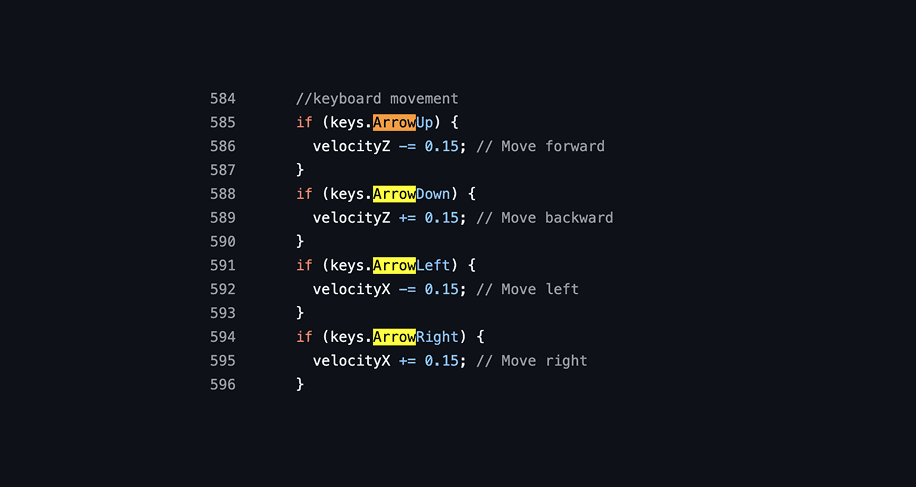
Mouse-only controls felt clunky, and some players couldn’t even complete the game. On top of that, they mastered it too quickly. I realized my original vision wasn’t fully coming to life,
but instead of discouraging me, this pushed me to iterate and improve the experience.
THE IMPROVEMENTS
Based on the insights I've gathered from my play testers, I made changes that would fit their intuition. Every change was a negotiation: improve clarity without breaking the “no instructions” premise.


THE END
During Open Studio, I resisted the urge to explain how the game worked. I let players take the lead. It was scary—I’ll admit. But seeing players immerse themselves in the experience, and hearing positive feedback afterward, showed me that I had met the challenge my professor gave me.
"I consider more than just UI."
This project solidified my identity as a designer. I bring playfulness into my work and don’t rely on traditional methods to solve problems.
With that, I’ll leave you with a question:

