Connect the Stars
A sensory-driven puzzle game exploring how light, sound, and haptic feedback shape user experience
Project Type
Game Design & Physical-Digital Interaction Design
Team
Individual project with collaboration on physical prototype assembly
Contribution
Game Mechanics, Interaction Design, Coding, Arduino Integration, User Testing
Tools
p5.js, Three,js, Arduino, Web Serial API
Date
Oct-Dec 2024

Overview
Problem
Traditional Games Depend Too Much on Visual UI
Most games rely heavily on buttons, menus, and visual interfaces. I wanted to challenge that model by asking: What if a game could guide players purely through just intuition?
Solution
Designing a Feedback-Driven Interaction Loop
I built a dynamic system using sensory cues (light, sound, and vibration) that responded to the player's movement. These elements worked together to form the intuitive experience guiding the player without instructions.
Impact
Expanding the Boundaries of Game Interaction
The result was a multi-sensory experience where players navigated through feeling and not just visuals. This challenged conventional interaction models and pushed my skills in designing ambient experiences with digital and physical spaces.
The Process
Background
This project combines two courses at SVA—Hello World (creative coding) and Physical Computing—as an exploration into how digital experiences can extend beyond the screen. I designed a browser-based puzzle game paired with a custom-built haptic mousepad to explore the intersection of code, interaction, and physical feedback.
Design Challenge
How might we create an immersive game experience without relying on traditional UI?
Goals
Integrate light, sound, and vibration into a seamless feedback loop that guides user behavior.
Ensure feedback is intuitive, well-timed, and enhances the sense of flow and responsiveness.
Evolve the game from simple mechanics into layered levels with more dynamic pacing and depth.
Design for immersion across both digital and physical components.
Section 01.
Research
Game Inspiration & Mood References
To shape the emotional tone and interaction style of the game, I drew inspiration from games and sound design references:
Monument Valley
Minimal UI and atmospheric storytelling

Honkai Star Rail’s clocky puzzle
Modular mechanics and soft visual transitions

League of Legends' Bard Collecting Chimes (Passive)
Layered musical feedback based on player movements

Bard’s theme song
Whimsical and serene, informing the tone of background sound design.

Exploring Haptic Feedback in Gaming

To understand how tactile feedback can shape gameplay, I analyzed commercial devices like the PS5 DualSense and bHaptics TactSuit. These technologies use adaptive triggers and voice-coil actuators to convey immersive, nuanced sensations that can heighten emotional impact in interactive environments.

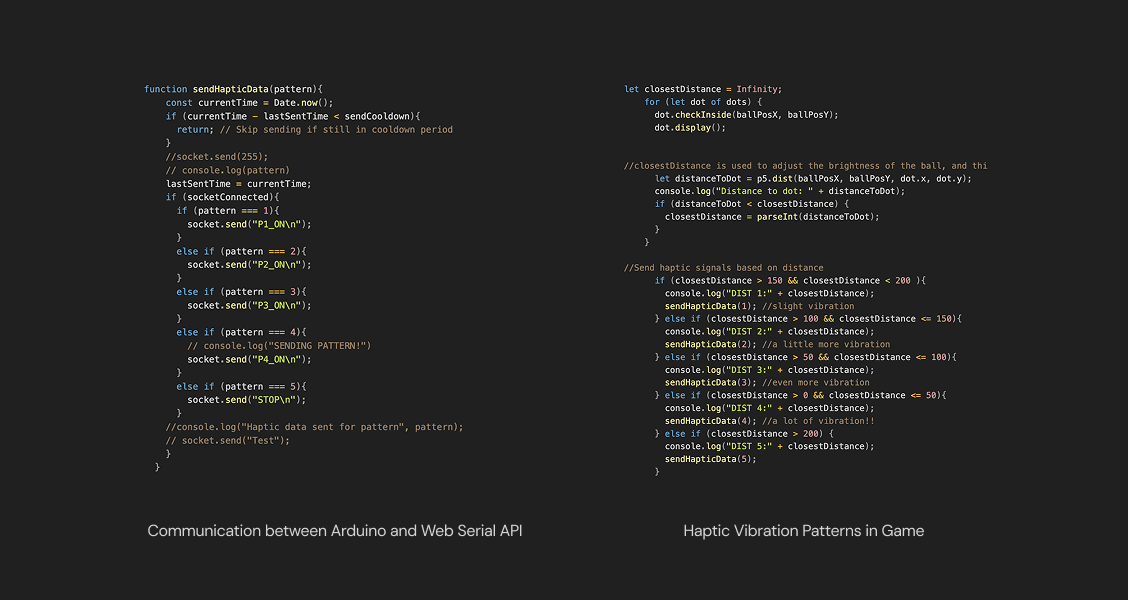
I began by testing haptic motor output using simple mouse clicks in p5.js. From there, I explored using the Web Serial API to create a direct connection between the browser and Arduino.
Section 02.
Ideation & Design
Building the Core Game
Prototyping in 2D
The game began as a 2D prototype in p5.js to quickly test basic mechanics like ball movement, dot collisions, and Arduino integration. This phase helped shape early interaction patterns.

Transitioning to 3D

Designing Basic Movement Feedback
I built a control system where the mouse is locked to the center and the player moves the ball using relative motion.

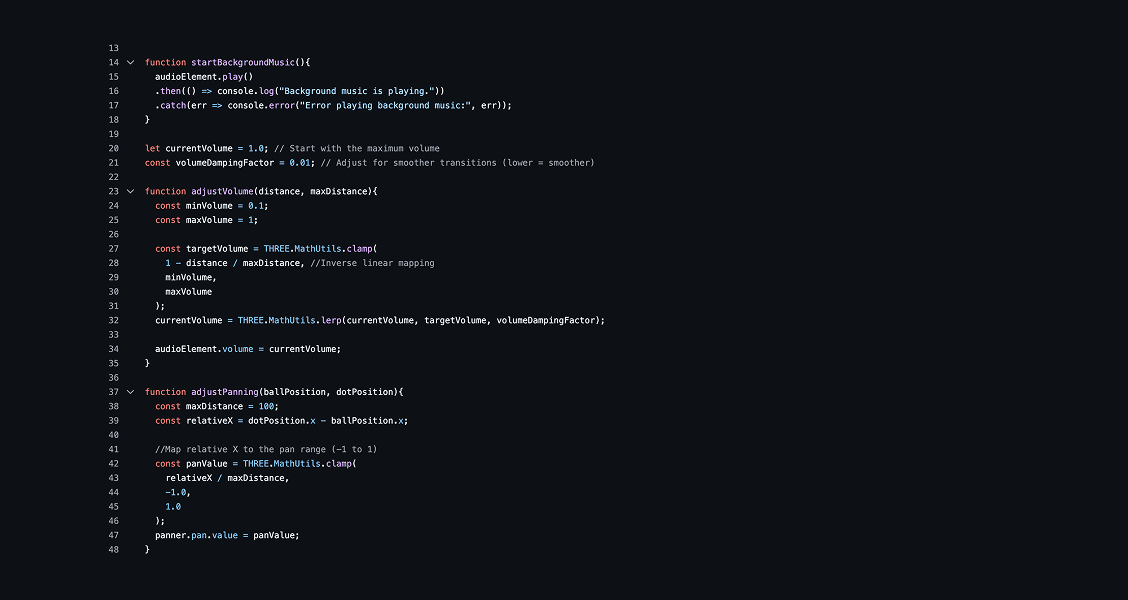
Designing for Sensory Interaction

Section 03.
Testing & Iteration
Goals
I conducted informal playtests with peers, focusing on the interactions and environmental feedback. The goal was to evaluate whether the game mechanics (light, sound, motion) guided players intuitively without needing instructions.
Insights to Iterations
01.
Mouse-Only Controls Felt Clunky
Users found it difficult to control the ball using mouse movement alone, describing it as imprecise and hard to manage.
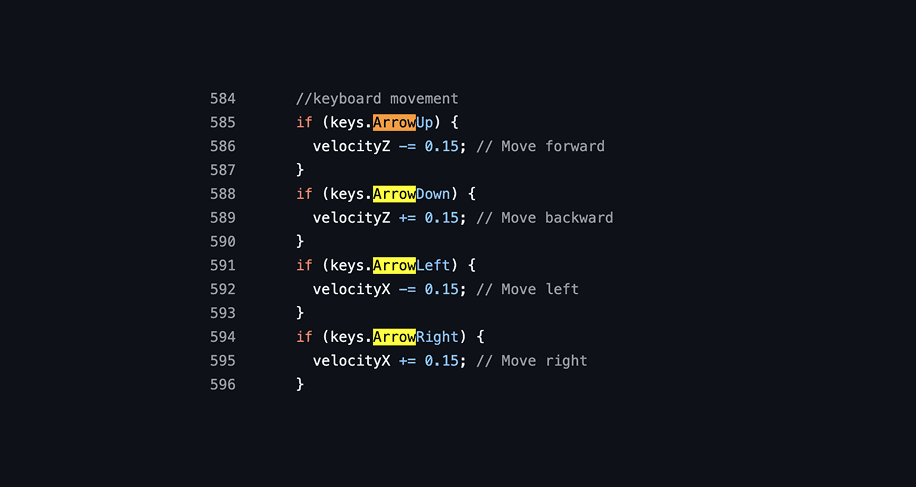
Introduced arrow key support as an alternative to mouse input. Future testing shows that many players found arrow keys more intuitive and easier to use during gameplay.
02.
Lack of Replayability
Many players mastered the level quickly, which reduced engagement over time. Thus, they expected more variations to the gameplay to make the experience feel fresh.
Added Levels and Randomization for Replayability
Introduced levels and a randomizer to vary level layouts each session, encouraging exploration and boosting long-term engagement.

03.
Stronger Spatial Feedback Is Crucial
Players had difficulty identifying goals and sometimes wandered too far off the map. This revealed a need for more responsive in-game feedback to guide behavior and improve orientation.
Enhanced Goal Feedback
Refined ball mechanics so it slows down near stars (goals) and the stars glows when players pass through one. This helps players recognize when they’re approaching an objective.

Section 04.
Outcome
Below is a demo video of the gameplay.
For the best experience, please wear headphones.
Next Steps
Enhance Feedback Through Animation
Refine how the game communicates interactions by introducing animations such as stars glowing progressively when collected. This will provide clearer confirmation and strengthen the sensory experience.
Improve Visual Design & Atmosphere
Revisit the game's visual aesthetics, including textures, lighting, and background elements, to create a more polished and immersive environment that aligns with the ambient tone.
Expand Gameplay Complexity
Introduce new puzzle mechanics, time-based challenges, or multi-step goals to add difficulty and variation. I hope to transform the game from a simple exploration task into a richer, more layered experience.
Reflection & Learnings
Intuition Is Harder Than It Looks
Designing a game without traditional UI taught me how complex "intuitive" can be. Translating abstract code into sensory-based feedback required constant testing and adjusting. What made sense in theory often needed refinement to actually feel natural for players.
Testing Builds Better Experiences
Watching users interact with my game, especially without instructions, was both nerve-wracking and eye-opening. I learned to embrace ambiguity and feedback as constructive criticism. Each testing pushed me to iterate smarter and think more critically about how design decisions play out in real time.
Play as a Design Tool
This project reminded me how playful interaction can be impactful. I discovered how light, sound, and touch can spark emotion and engagement in ways buttons and menus never could. It deepened my interest in creative technology and cemented my love for designing experiences that are as expressive as they are functional.